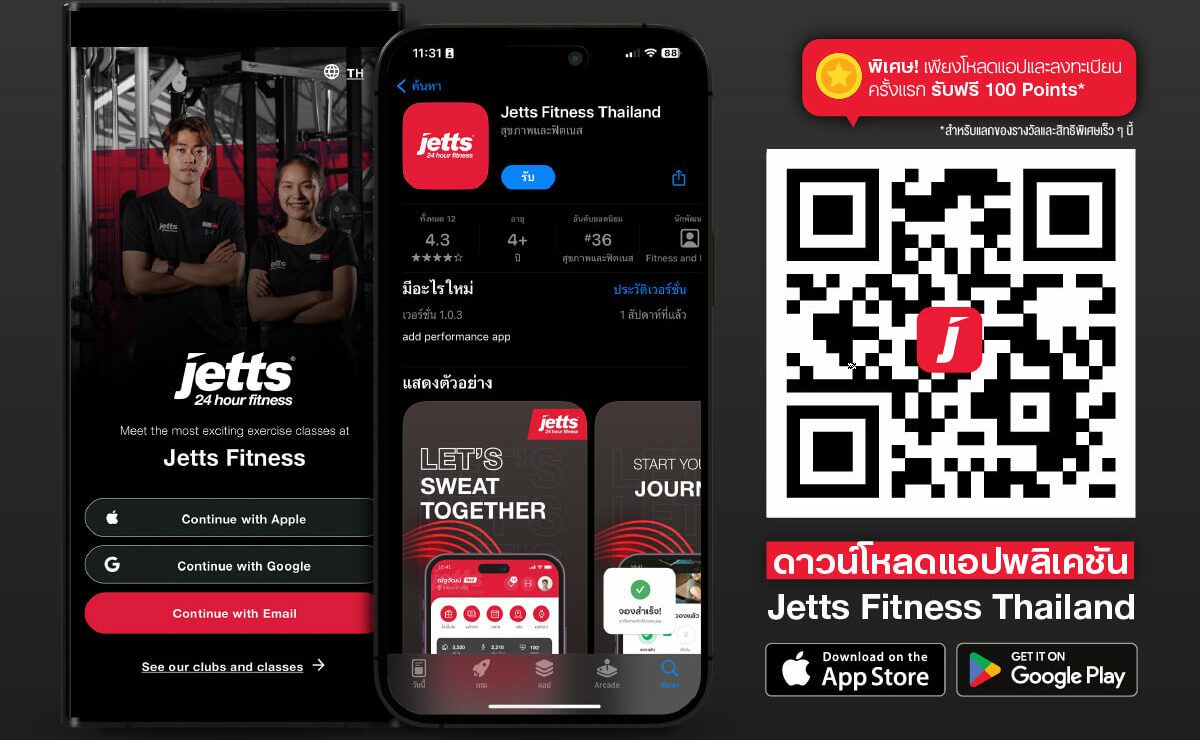
Start by downloading our application from the App Store or Google Play Store, depending on your device.
Once the installation is complete, open the application and register using your Apple ID, Google Account, or the email address you used to sign up with Jetts Fitness.
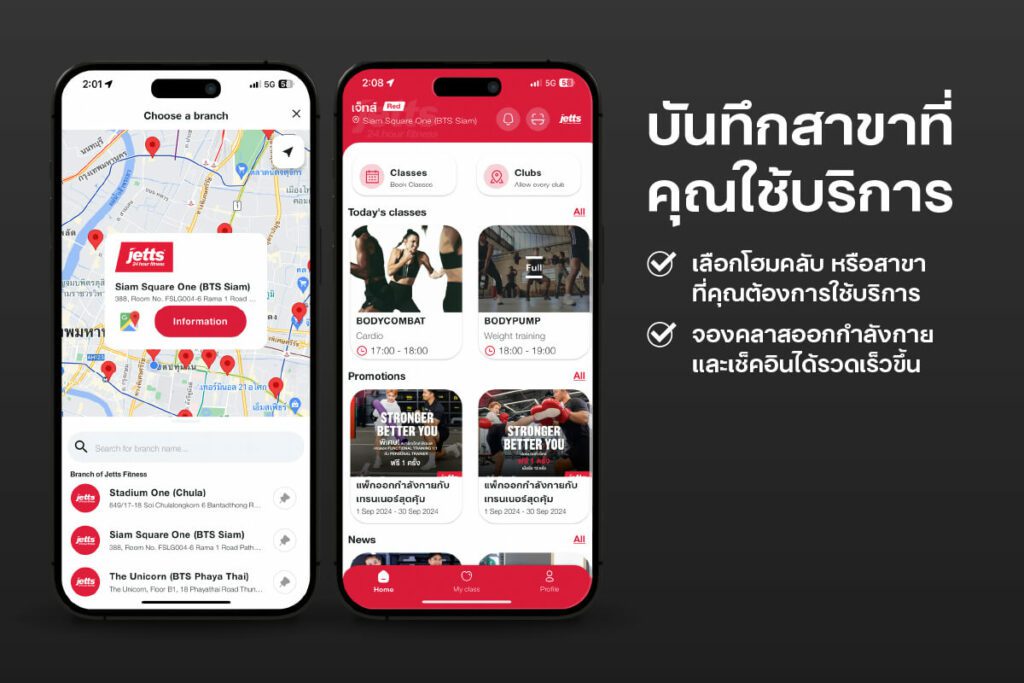
Save Your Preferred Club
After completing your registration, select and save your home club or the club you wish to use from the app’s home screen.
Saving your preferred club will make class bookings and check-ins more convenient and faster.
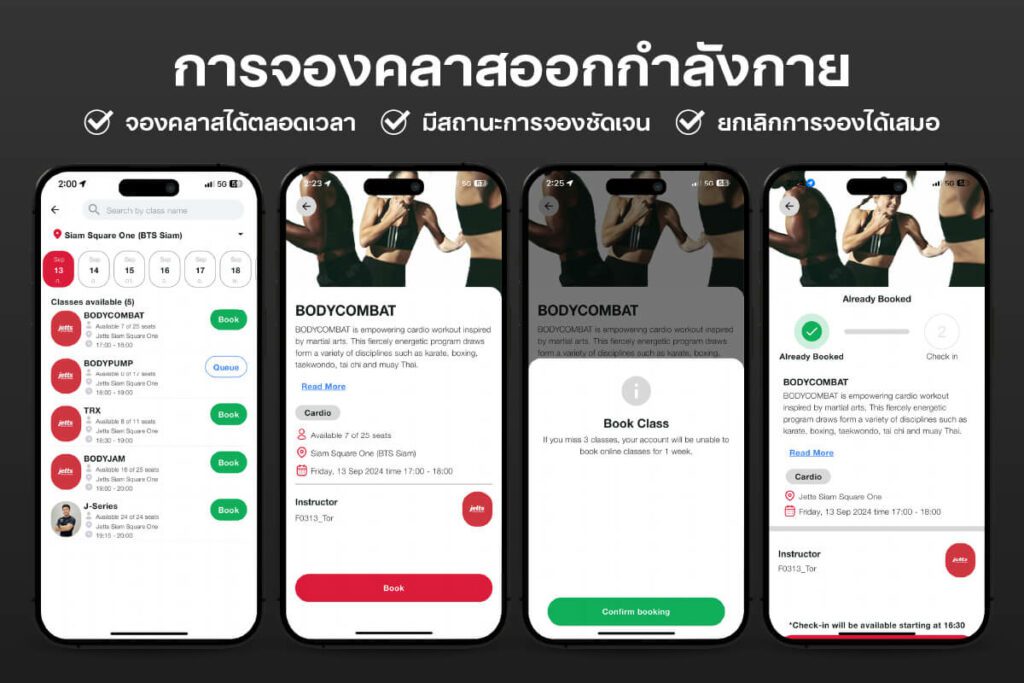
Online Class Booking
You can book classes through the application at any time.
Your booking status will be displayed on the class booking screen, such as “Booked”, “Full”, or “Waitlisted.”
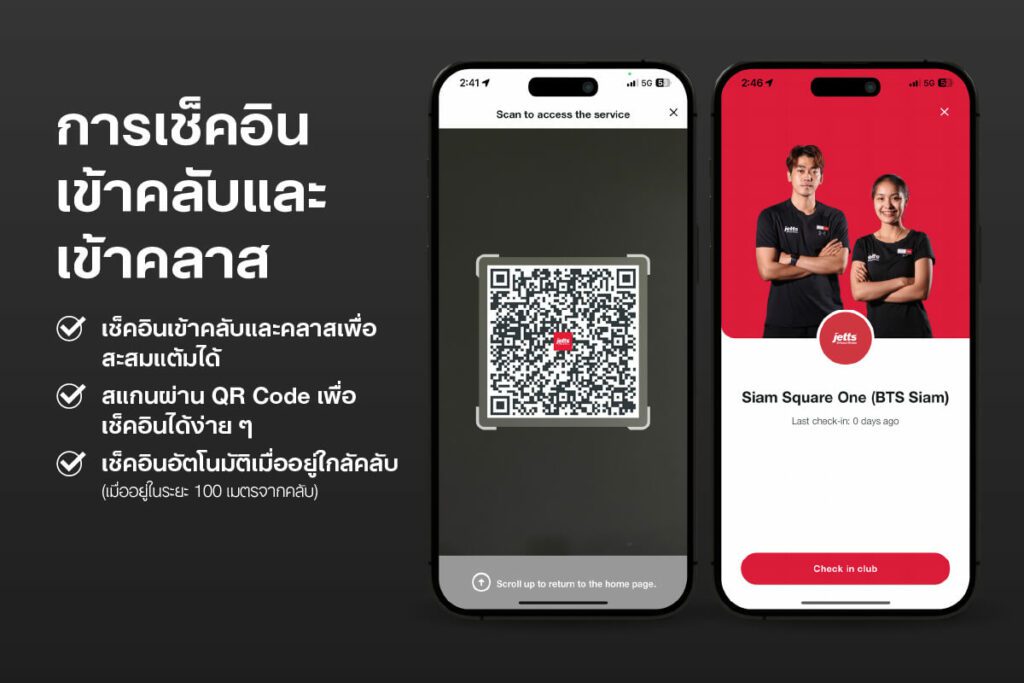
Club and Class Check-In
You can easily check in to the club and earn points through our application.
On the day of your class, go to “My Classes” and tap the QR Code scan icon at the top-right corner of the app to check in to the class instantly.
Check-in will be activated automatically when you are within 100 meters of the club.
We use cookies to ensure that we give you the best experience on our website. If you continue to use this site we will assume that you are happy with it.Ok